How Should A Newborn Look In Car Seat . The safest place for your child's car seat is in the back seat, away from active air bags. Ideally, a second adult should travel in the back of the car with your baby, or if travelling alone use a mirror to keep an eye on your baby. 8 Images Putting Newborn In Britax Car Seat And from alquilercastilloshinchables.info How should a newborn look in a car seat. If your baby changes their position and slumps forward, then you should immediately stop, take them out of the car seat and sit them upright before continuing on your journey. X research source [2] x expert source jami yaeger
How Do You Take A Screenshot On A Microsoft Computer
How Do You Take A Screenshot On A Microsoft Computer. How to screenshot on samsung laptop (5 methods) best gadgetsfeed.com. How do you screenshot on microsoft computer?
How to Take Screenshots on a PC Like a Pro Windows 10 from voltcave.com
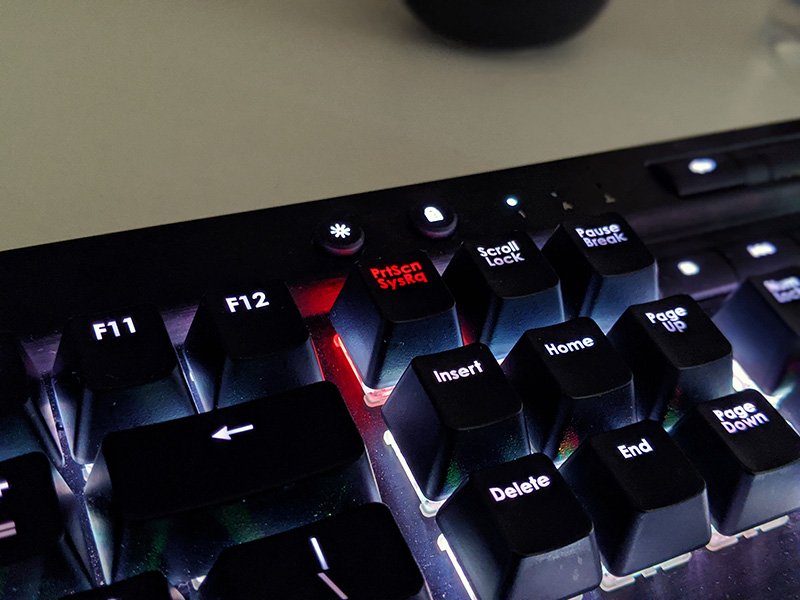
If you want to take a screenshot without saving it as an image, press only the prtscn button. Once you have selected the area, you can draw a rectangle, arrow, line, text or paint color to the screenshot. This will immediately take a screenshot of your whole display (including any extended desktops you have).
If You Want To Take A Screenshot Without Saving It As An Image, Press Only The Prtscn Button.
How do you screenshot on microsoft computer? Press the print screen key. You can then find that screenshot via your windows explorer, by going to the pictures folder on your pc and looking for a folder called screenshots.
Taking A Screenshot Of The Entire Screen.
You can also drag the cursor to select a rectangle area. To use the snipping tool when you have a mouse and a keyboard: To take the screenshot, press the windows and the prtscn key on your keyboard.
This Will Immediately Take A Screenshot Of Your Whole Display (Including Any Extended Desktops You Have).
If you don't want to change your settings, you can use this keyboard shortcut to bring up the screen snipping tools to take a screenshot. Once you have selected the area, you can draw a rectangle, arrow, line, text or paint color to the screenshot. The desktop will darken while you select an area for your screenshot.
For Windows 8.1 Or Windows Rt 8.1.
Recently microsoft said they would discontinue the snipping tool, but still, it is accessible in windows 10 and 11.following are steps on how to use the snipping tool to take a screenshot on your samsung laptop. Press windows logo key + shift + s. Press windows logo key + shift + s.
Use Either Keyboard Shortcuts Or The Snipping Tool To Take A Screenshot Of The Whole Screen Or Of A Single Window.
The screen dims and an image file is automatically saved in your screenshots folder. The only times you can’t take a screen shot are before you log on to your computer and when you are playing a video in microsoft windows media player. You can move the cursormove to select a single window or the whole hp computer screen as the screenshot.


Comments
Post a Comment